
The Optovera platform operates under a credential system that defines specific permissions for each user type. This ensures secure, organized, and traceable management, so every person accesses only the functions required for their role.
Types of credentials
-
Administrator (Admin)
-
Highest access level.
-
Manages the client’s entire domain.
-
Main functions:
-
Create, edit, or delete users.
-
Create, modify, and delete Agent users.
-
Configure groups and alerts.
-
Manage mobile app access credentials.
-
Full access to reports, history, and dashboard.
-
-
-
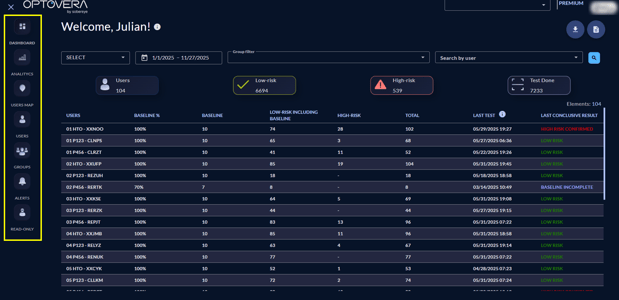
Agent
-
Operational profile for supervisors or HSE field personnel.
-
Main functions:
-
View test results.
-
Create, modify, and delete Read-Only users.
-
Access the dashboard, history, and reports.
-
Manage worker groups.
-
No permissions to modify critical domain configurations.
-
-
-
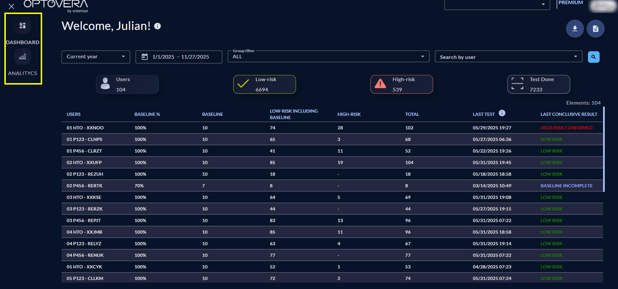
Read-Only
-
Restricted-access profile.
-
Main functions:
-
Consult test results.
-
View reports and dashboard.
-
Cannot make changes or manage users.
-
-
Useful for roles that only need to monitor information without altering configuration.
-
Importance of credential assignment
-
Maintains control and information security.
-
Prevents unauthorized personnel from changing critical settings.
-
Ensures each user has access only to what is needed for their role.
-
Preserves traceability: every action is recorded under the executing profile.
Conclusion
The Optovera platform defines three credential types—Administrator, Agent, and Read-Only—to balance control, security, and operational efficiency. Each user receives the appropriate access level for their HSE responsibilities