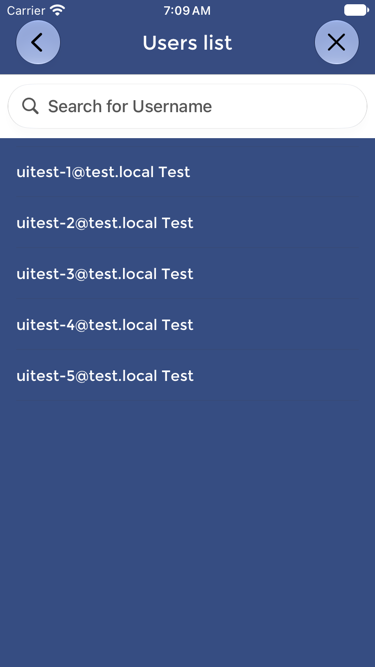
Users are updated on the Device through synchronization with the OPTOVERA cloud platform.
When a User is added or changed in the dashboard, or an administrator clears a User’s forgotten PIN, the Device must receive the updated user list before the change applies on that Device. To do this, the Device should be connected to Wi-Fi or cellular data and synchronized.
Supervisors should press UPDATE USERS LIST before testing, especially when:
- New Users have been added.
- User information has been changed.
- A User’s PIN has been reset.
- A User does not appear on the Device.
- Multiple Devices are being used at the same site.
- Testing is starting at the beginning of a shift.
After synchronization, supervisors can confirm that the updated list is available by opening the Device menu and checking USERS LIST. A pending PIN reset is also shown there.
If the User does not appear in USERS LIST, the User may not have been added correctly in the dashboard, the User status may not be enabled, or the Device may not have synchronized successfully.
In that case, confirm the User in the dashboard, check the Device’s internet connection, press UPDATE USERS LIST again, and verify USERS LIST before starting the test.